
POS software in Bangladesh has become an important solution for firms to expedite their sales and billing. This software helps shops, cafes, restaurants, stores, etc. perform optimally and record transactions accurately. Globally, the use of POS software is on the rise, driven by increasing industry adoption. The market is growing at a compound annual growth rate of 15.1%, rising from $18.3 billion in 2022 to an estimated $74.7 billion by 2032.
Small businesses, retailers, startups, and shops use POS software to ensure proper daily operations. The top 10 POS software software in Bangladesh, discussed below, enhance the accounting and billing functions of businesses. Understanding their benefits and features are critical to sustain in today’s business realm.
What is POS Software?
Point of sale (POS) software is a solution that lets businesses process and track sales transactions efficiently and effectively by integrating with hardware devices, like barcode scanners, receipt printers, and card readers. This system helps businesses to automatically capture and finalize transactions.
POS software handles sales transactions, including customer information, pricing, summing totals, applying discounts, trends, and taking payments. It also monitors product stock levels in real time, along with generating reports.
Top 10 Best POS Software in Bangladesh
The types and use of POS software in Bangladesh depend on the business type, business needs, price, and features. The following table lists the top 10 POS software in Bangladesh, along with the features, pricing, pros, and cons of the solutions.
| Sl | Software Name |
|---|---|
| 1 | Financfy |
| 2 | Mediasoft POS |
| 3 | Sunshine IT POS |
| 4 | SK POS Software |
| 5 | E-Hishab POS |
| 6 | mPOS |
| 7 | POSist |
| 8 | NexPOS |
| 9 | Smart POS |
| 10 | Odoo POS |
1. Financfy

Financfy is accounting software from Bangladesh that also includes powerful POS features. It is one of the best online solutions that manages your expenses and income. Thus, it greatly helps as a point of sale system.
As one of the top 10 pos software in Bangladesh, Financfy makes transactional and billing operations easy for all types and sizes of businesses.
Key features
- Cash management
- Sales management
- Expense management
- Intuitive dashboard with customizable reports
- Cloud-based
- Invoice management
- Inventory management
Best for (industry)
Small businesses, retailers, startups, and shops
Pricing
- Simple plan: 1,800 BDT/month
- Mini plan: 4,500 BDT/month
- Mid plan: 6,300 BDT/month
- Advanced Plan: 9,000 BDT/month
- Advanced Plus Plan: 10,800 BDT/month
| Pros | Cons |
|---|---|
|
|
2. Mediasoft POS
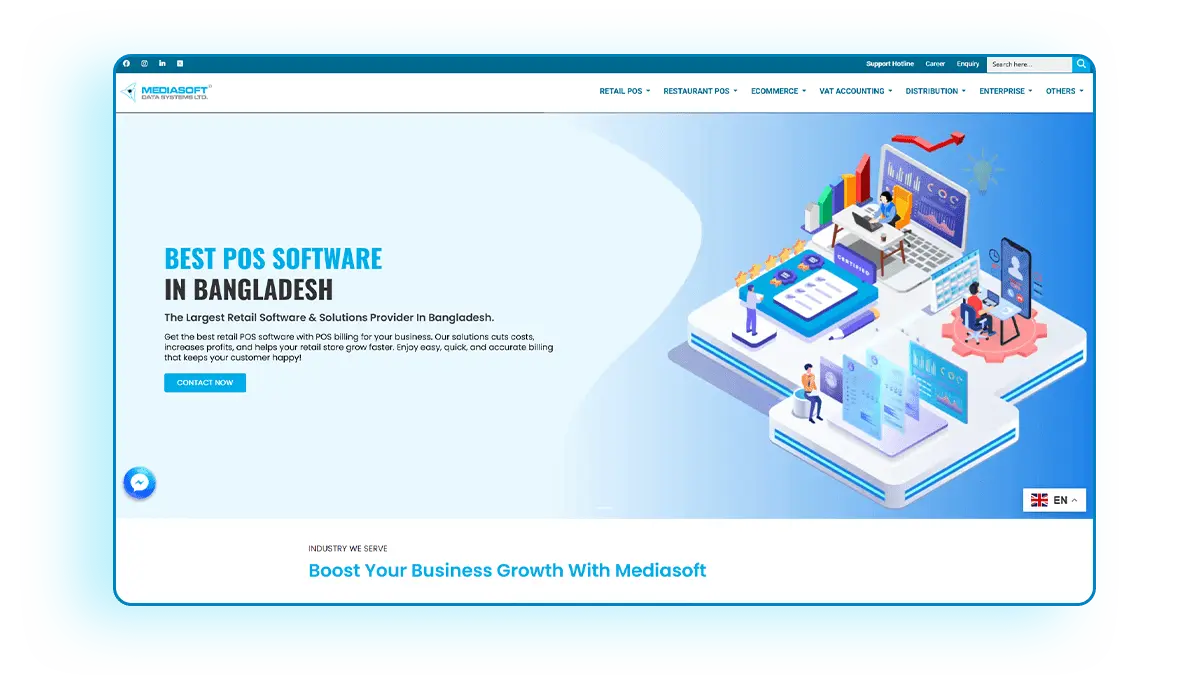
If you are listing top POS software companies in Bangladesh, then Mediasoft is a definite in the list. It is best known for its retail and ERP solutions in Bangladesh. The software offers industry-specific features, from pharmacy, bakery, and supershop to restaurant, apparel, etc. For example, as pharmacy POS software in Bangladesh, it offers batch tracking of medicine, expiry date alerts, a built-in medicine database, and e-prescription management for healthcare shops.
Key features
- Customizable reports
- Barcode scanning for quick billing
- Inventory management system
- RMG Master Solutions
Best for (industry)
Small and medium retailers.
| Pros | Cons |
|---|---|
|
|
3. Sunshine IT POS

A fast-growing POS software company that offers POS solutions to SMEs, NGO’s, government agencies, and private companies. Its POS software handles everything from sales transactions and inventory control to payment processing and customer relationship management. The brand also has customers in the UAE, Kuwait, and Saudi Arabia.
Key features
- Sales processing
- Customer Management
- Payments processing
- Reports and analytics
- Inventory management
Best for (industry)
Medium to large companies.
Pricing
- Basic price(Ready): 12,000 BDT
- Professional(Customizable): 20,000 BDT
| Pros | Cons |
|---|---|
|
|
4. SK POS Software
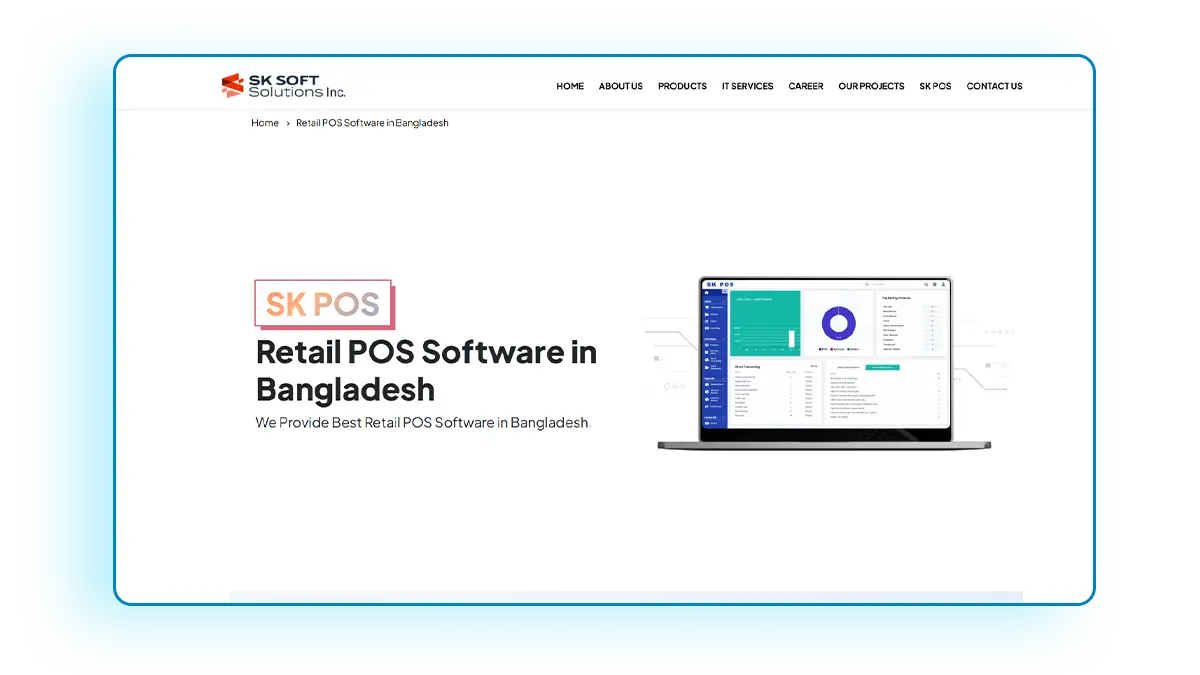
Offered by SK Soft Solutions, SK POS is one of the best retail POS software systems in Bangladesh. The software is easy to use, user-friendly, secure, reliable, and affordable, which enhances your business very quickly. Its POS solutions branch out into SK Pharmacy POS, SK Restaurant POS, SK Apparel POS, and SK Electronics POS.
Key features
- Product Details
- Inventory Management
- VAT Report
- Customer Management
- Customer Management
- Multiple Language Proficiency
Best for (industry)
Retail businesses.
Pricing
- Gold: 1,000 Tk /Month.
- Platinum: 15,00 Tk / Year
- Diamond: 100,000 Tk
| Pros | Cons |
|---|---|
|
|
5. E-Hishab POS
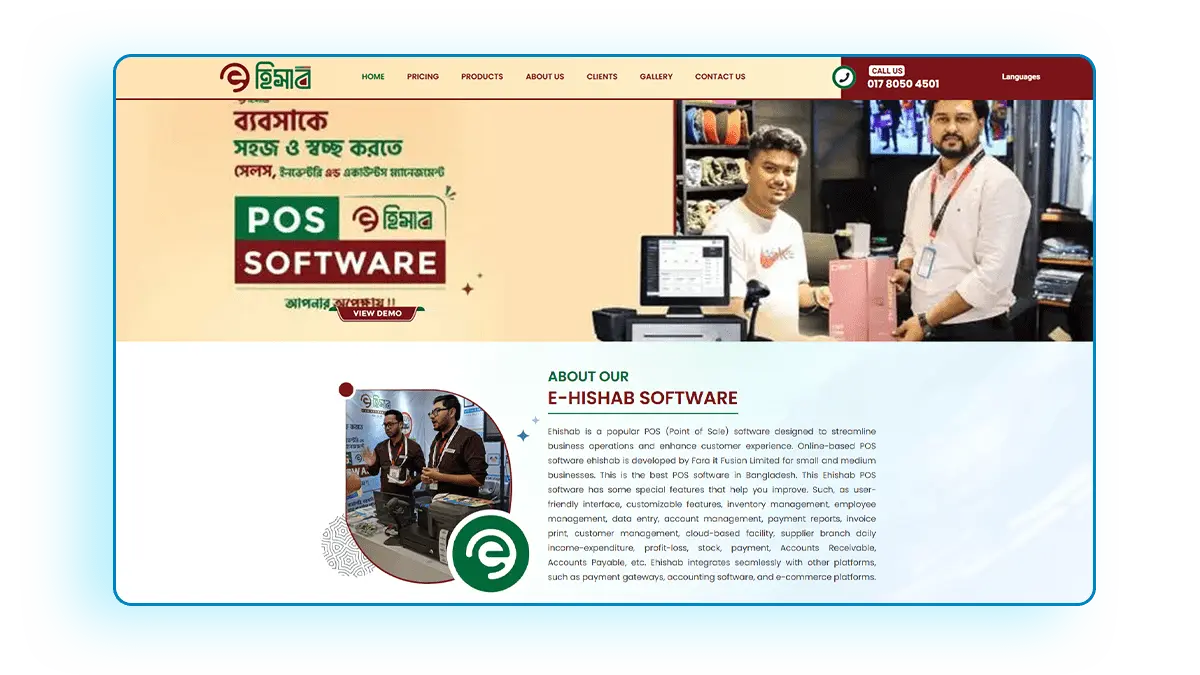
Fara IT Fusion Limited’s Ehishab is a popular point of sale (POS) software for small and medium businesses in Bangladesh. Ehishab integrates seamlessly with other platforms like payment gateways, accounting software, and e-commerce solutions.
Key features
- Inventory management
- Cloud-based
- Data entry
- Account management
- Payment reports
- Invoice printing
- Customer management
Best for (industry)
Small and medium enterprises (SMEs)
Pricing
- Silver: 1,000 Tk / Month
- Gold: 1,500 Tk / Month
- Platinum: 3,000 Tk / Month
- Custom: 5,000 Tk / Month
| Pros | Cons |
|---|---|
|
|
6. mPOS (Mobile Point of Sale)
mPOS operates on smartphones or tablets instead of traditional computer or cash-register setups. It is perfect for businesses that need to take payments on the go or in tight spaces. A mobile device (like an Android phone or iPad) runs a POS app and often connects to a small card reader or printer via Bluetooth to carry out the functions.
Key features
- Portability
- Inventory & Item Catalog
- Payment integrations
- basic customer management
- Analytics
Best for (industry)
Small businesses and on-the-move businesses.
Pricing
Not mentioned.
| Pros | Cons |
|---|---|
|
|
7. POSist
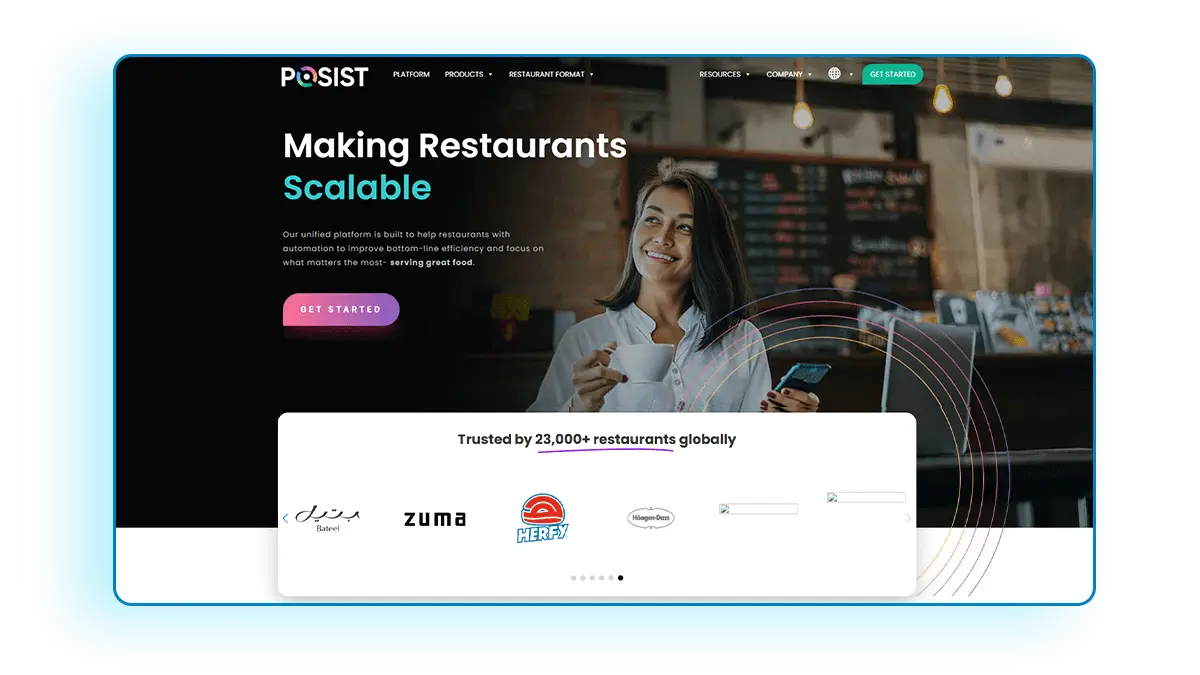
A popular cloud-based platform, POSist offers unique POS solutions to restaurants, cafes, and food chains. You can use it as an all-in-one restaurant management software, covering billing to kitchen orders. It lets you manage your front of house, online orders, and CRM from the head office, regardless of the number of outlets.
Key features
- Restaurant billing for multi locations
- Flexible POS system
- Kitchen Display System
- Multi-lingual support
- Real-time forecasting
Best for (industry)
Restaurants and food chains.
Pricing
Not mentioned.
| Pros | Cons |
|---|---|
|
|
8. NexPOS

A popular POS software, NexPOS offers robustness and a user-friendly design. The software can be used by retailers and even service providers. NexPOS is a cloud-based system that strikes a balance between functionality and simplicity.
Key features
- Debt Management
- Straightforward billing interface
- Inventory Control
- Perishables Control
- Online Catalog
Best for (industry)
Retailers and SMEs.
Pricing
- BDT 880 / Month
- BDT 8,800 / Year
| Pros | Cons |
|---|---|
|
|
9. Smart POS

Smart POS is a web-based and mobile-friendly POS software solution specifically for retail operations. It also supports multi-store management. Its mobile software extends POS functionalities to smartphones, facilitating on-the-go business management. You can also retrieve financial reports from the app.
Key features
- Customer & Supplier Management
- Inventory and product management
- Multi-Store Support
- User Role Management
- Mobile Accessibility
- Sales & Purchase Management
Best for (industry)
Retailers, salons, restaurants, cafes, etc.
Pricing
- P1: POS/ Retail Management (Single Store) – 10,000 Tk+ (1000 Tk / Monthly)
- P2: POS/ Retail Management (Single Store) – 30,000 Tk + (6,000 Tk / Yearly)
- P2: POS/ Retail Management (Single Store) – Call for Price
| Pros | Cons |
|---|---|
|
|
10. Odoo POS

The Odoo Point of Sale (POS) system is a flexible, cloud-based POS system that works with the Odoo ERP system. It works with businesses like shops, restaurants, and service providers. Its ability to integrate with other apps ensures all of a business’s processes are in sync in real time, which improves both efficiency and the customer experience.
Key features
- Offline Mode
- Multi-Device Compatibility
- Flexible Payment Options
- Advanced Pricing Features
- Integrated Inventory Management
Best for (industry)
Restaurants, Cafes, Restaurants
Pricing
Free, forever, with unlimited users
| Pros | Cons |
|---|---|
|
|
Comparison Table of Features Between Top 10 POS Software in Bangladesh
With so many alternatives available, choosing the appropriate POS system may have a big influence on productivity and profitability. This table provides a quick comparison of the top POS software in Bangladesh so that you can choose the best POS software in Bangladesh.
| Software name | Key Feature | Ease of Use | Compatibility | Customer Support |
|---|---|---|---|---|
| Financfy | All-in-one Accounting + POS | User-friendly | Web & Mobile | 24/7 support |
| Mediasoft POS | Pharmacy POS | Easier for those related to medicines and pharmacy | Desktop & Cloud | Local office hours hotline |
| Sunshine IT POS | Multi-store management | A bit steep to learn | Web Portal | Business hours |
| SK POS Software | Easy UI | Easy to use | Both on-premises and cloud | 24/7 local technical support |
| E-Hishab POS | ERP-integrated POS | Relatively easy | Cloud-based | Office hours |
| mPOS | Mobile POS on phone/tablet | Compatibility with mobile use | Mobile devices | N/A |
| POSist | Restaurant-specialized | A bit complex | Cloud (Web) | 24/7 support (online/remote) |
| NexPOS | Easy SME POS | Easy interface | Cloud-based | Office hours |
| Smart POS | Multi-store support with mobile-compatibility | User-friendly | Cloud-based and standalone | Local working hours through website and whatsapp |
| Odoo POS | Compatible with multiple devices | User-friendly | Cloud-based but works offline too | Call or opt for a video conference |
POS Software Price in Bangladesh
POS software prices in Bangladesh vary widely depending on the solution’s capabilities and deployment model. You should also consider additional costs beyond the software license or subscription.
Custom vs. Ready-made POS Software
| Custom | Ready-made |
|---|---|
| Involves an upfront development fee | Subscription-based or one-time purchase |
| Generally pricier initially, but can be cost-effective long-term | Cloud-based POS subscriptions might range from BDT1,500 to BDT5,000 per month |
| Requires an ongoing maintenance fee | Advanced plans can be upwards of BDT15,000 to BDT20,000 per month |
Setup, Training, and Support Costs
You may need to purchase hardware like POS terminals (PC or touchscreen devices), receipt printers, barcode scanners, cash drawers, etc. Some providers charge a setup fee or training fee. This might cover installation, initial configuration of your products in the system, and training your staff.
After the included support period, you may need to pay annual maintenance fees for on-premise systems.
Tips on Avoiding Hidden Charges
- Ensure the system lists all potential costs.
- Compare the total cost of ownership over a few years for each option.
- Invest in quality software to receive better accuracy and higher profits.
Key Features to Look for in a POS Software
The best POS software in Bangladesh offers more than just billing. Ideally, it should cover inventory, analytics, and integrations that streamline your operations.
- Quick billing and invoicing: The system should make the sales process fast and error-free.
- Inventory and stock management: Every sale or return should update stock counts.
- Customer and supplier ledger: A good POS integrates with accounting functions or exports data to your accounting software.
- Sales and expense tracking: The POS should generate daily sales summaries, product-wise sales reports, and profit margin analysis.
- Barcode generation and scanning: Ensure the POS supports barcode scanners for fast checkout and can generate/print barcodes for your products if needed.
- Data backup and security: Look for automated backup options to an external drive or cloud. Also, check for user access controls and audit logs to monitor any irregular activities.
- Training and customer support: Ensure the POS provider offers prompt customer support (phone/chat) when issues arise. Also, check if the software gets regular updates for improvements.
Why is POS Software Essential for Businesses in Bangladesh in 2025?
In 2025 POS Software is an essential tool to simplify payment processing & sales operations while reducing operational costs. For example, a survey stated that 71% of consumers agree that restaurant POS improves the guest experience.
- Simplify Sales Transactions: POS systems significantly simplify transactions, allowing businesses to serve customers faster and with greater accuracy. Automated price calculation and barcode scanning reduce human error and speed up checkout.
- Improved Customer Experience: You can cut down waiting times and enable multiple payment options. This enhances the shopping experience.
- Reduce Operational Costs: POS systems help reduce operational costs. Fewer pricing errors, less inventory shrinkage, and better staffing efficiency all save money.
- Detailed Analytics: POS captures detailed sales data, which can be turned into actionable insights. Owners can see what products are selling well, which days are slow, and how promotions affect sales.
- Incorporated Rewards Program: POS software makes it easy to implement loyalty schemes that were cumbersome to do manually. You can track customer purchases and reward them with points, discounts, or special offers.
Industries That Benefit from POS Systems in Bangladesh
Many businesses sell products or services and benefit from a POS system. But certain industries in Bangladesh see especially large advantages.
- Retail: POS software manages inventory levels, barcode scanning at checkout, and integrates with receipt printers and card readers. This makes transactions faster and inventory accountable in retail businesses.
- Pharmacy: A pharmacy POS can handle batch numbers, expiry dates, and prescriptions. It ensures that medicines nearing expiry are flagged and controlled drugs are sold with proper records.
- Restaurants: POS manages table orders, kitchen orders, menu items, and bills in an organized way. For example, when waiters enter an order, it prints in the kitchen immediately, speeding up service.
- Super shops: The software can apply promotions (buy-one-get-one, etc.) automatically at checkout, manage membership cards, and speed up transactions through features like weighing scale integration for produce.
- Wholesale/distribution businesses: Having a POS-like interface for counter sales at a wholesale outlet speeds up service to retailers coming in to buy in bulk.
How to Choose the Right POS Software for Your Business
Not all POS solutions are well-suited to meet the specific needs of different businesses. To help your business grow, you need to consider certain factors before implementing a POS software.
- Identify Your Business Needs: Try to assess whether the software will align with your current business needs.
- Evaluate Essential Feature: You should figure out which particular feature is the most important for you.
- Hardware Compatibility: Check if the software can be integrated into your current setup.
- Cloud-Based vs. On-Premise Option: Depending on your needs, make sure the POS can be accessed from anywhere (cloud-based) or kept securely with you (on-premise).
- Compare Pricing and Value: You should consider the ROI of purchasing the software.
Conclusion
POS software helps businesses simplify sales transactions, offer proper analytics, reduce operational costs, and enhance customer experience. Choose a POS system that meets your needs in the present time and also grows with your business for future needs. Remember, the right POS software improves your business operations without causing new hassles. Take your time to evaluate, because switching systems later can be tedious. With due diligence, you’ll make an informed decision and set up your business for smoother operations ahead.
Frequently Asked Questions (FAQs)
1.Can I use POS software on mobile?
Yes, many modern POS solutions like Financfy offer mobile apps or are accessible via web browsers on tablets and smartphones.
2. Does POS work without the internet?
Many cloud-based POS systems have offline functionality. They continue operations locally when the internet is down, then sync the data once connectivity is restored.
3. Are these POS systems customizable?
Many POS systems offer some level of customization. You can usually configure your products, categories, taxes, discounts, receipt formats, etc., within the system.
4. What are the system requirements for POS software?
Generally, for a desktop-based POS, you’ll need a computer with a decent processor (e.g., Core i3 or higher), 4 GB RAM or higher, and Windows 10. If the POS software uses a local database, add robust storage.
5. How do POS systems store data?
Cloud-based POS systems store data on secure remote servers. On-premise systems store data on a local computer or server. Here, security depends on your infrastructure.